 by
by A complete, beginner-friendly walkthrough of wallet addresses, transactions, balances, tokens, and security.
Cryptocurrency wallets may look confusing when you first open them. You’ll see long cryptographic addresses, “pending” transactions, gas fees, confirmation counts, asset lists, and technical details that aren’t immediately intuitive—especially if you’re transitioning from traditional banking apps.
The good news? Reading a crypto wallet is much easier than it looks.
Once you understand the core components—addresses, balances, transaction history, fees, and security indicators—you’ll navigate any wallet with confidence.
This guide explains everything in simple language, with real-world examples, tips, and best practices to protect your assets.
Table of Contents
-
What Is a Crypto Wallet?
-
How to Read a Crypto Wallet (Step-by-Step)
-
Understanding Wallet Addresses
-
Reading Your Crypto Balance & Token List
-
How to Read Transaction History
-
Understanding Network Fees (Gas Fees)
-
Multi-Chain Wallets & How to Read Networks
-
Real-World Examples
-
Common Mistakes Beginners Make
-
Best Practices for Wallet Safety
-
FAQs
-
Conclusion
What Is a Crypto Wallet?
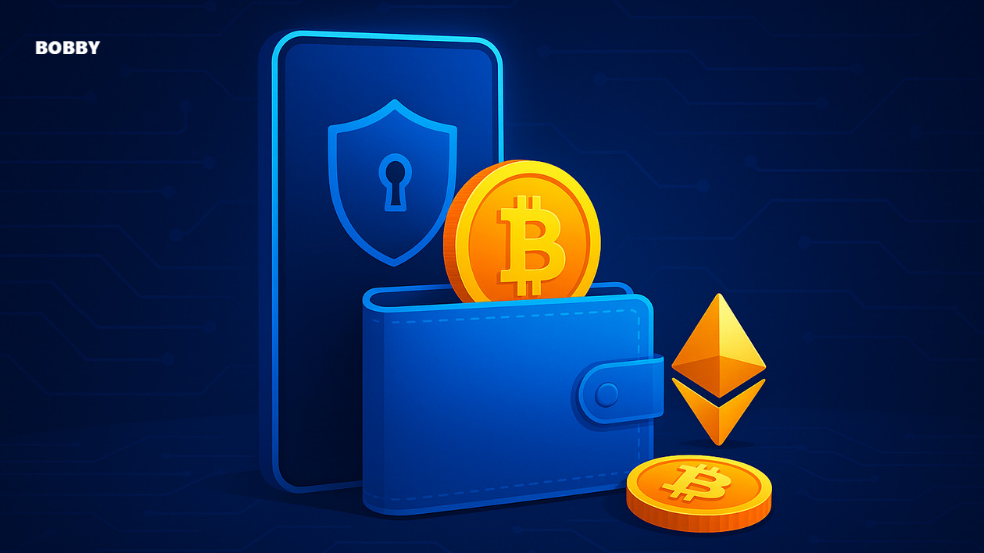
A crypto wallet is a tool—an app, extension, or hardware device—that lets you store, send, receive, and manage cryptocurrencies. Unlike traditional wallets, it doesn’t hold the actual coins. Instead, it stores your private keys, which give you access to your assets on the blockchain.
Types of Crypto Wallets:
-
Software wallets (MetaMask, Trust Wallet, Phantom)
-
Hardware wallets (Ledger, Trezor)
-
Custodial wallets (Binance, Coinbase)
Every wallet has the same core components, so once you understand how to read one, you can use any wallet confidently.
How to Read a Crypto Wallet (Step-by-Step)
Here’s what you normally see when you open a crypto wallet:
-
Wallet Name / Account Name
-
Public Address
-
Balance Overview
-
Token List / Assets
-
Transaction History
-
Network Selection
-
Security / Backup Options
Let’s break down each element clearly.
Understanding Wallet Addresses
Your wallet address is your public identifier—similar to your bank account number but safe to share.
Example of a Bitcoin address:
Example of an Ethereum address:
Key Details You Should Recognize
1. The Prefix Identifies the Network
-
Bitcoin:
1,3, orbc1 -
Ethereum: starts with
0x -
Solana: long Base58 strings
-
BNB Smart Chain: also
0x(EVM-based)
Tip:
If the prefix doesn’t match the network you’re expecting, double-check before sending funds.
2. Each Token Uses the SAME Address (on EVM Chains)
On Ethereum, BNB Smart Chain, Polygon, and other EVM networks, you use the same address for all tokens on that chain.
Example:
Your Ethereum address receives both ETH and USDT (ERC-20).
Reading Your Crypto Balance & Token List
A wallet usually displays:
-
Main network coin (e.g., ETH, BTC, SOL)
-
Tokens (like USDT, USDC, SHIB)
-
NFTs (if the wallet supports them)
Understanding Balance Fields
-
Total Value: Combined value of all assets in the wallet
-
Coin Balance: Shows native coin amount (e.g., 0.243 ETH)
-
Token Balances: ERC-20 or other tokens listed below
Why Some Tokens Don’t Show Up Automatically
Some wallets require manual token import.
This happens when:
-
The token is new
-
It’s not on the default list
-
You’re using the wrong network
Example:
You sent USDT on Tron (TRC-20), but you’re checking the Ethereum network.
The token won’t appear.
How to Read Transaction History
Every transaction entry includes:
1. Status
-
Success
-
Pending
-
Failed
-
Dropped / Reverted
Pending transactions can take anywhere from seconds to hours depending on blockchain congestion.
2. Type
-
Send
-
Receive
-
Swap
-
Contract Interaction
-
Approval (important!)
3. Transaction Hash (TxID)
Every transaction has a unique identifier:
Example:
You can paste this into a block explorer like Etherscan or BscScan to see all the details.
4. Block Number
Indicates when the transaction was recorded on the blockchain.
5. Network Fee (Gas Fee)
The cost paid to miners/validators to process the transaction.
6. From & To Address
Shows the sender and receiver.
7. Amount
The actual token transferred.
Understanding Network Fees (Gas Fees)
Gas fees vary depending on:
-
Network congestion
-
Type of transaction
-
Token transfer vs. smart contract interaction
Example of Fees
-
Sending ETH: low-to-medium fees
-
Swapping tokens: higher fees
-
Using NFT marketplaces: varies
-
Layer-2 (Arbitrum, Optimism): lower fees
Important Note:
Even if your wallet holds many tokens, you can’t send them without the network’s native coin to pay gas fees.
Examples:
-
To send USDT on Ethereum → you need ETH
-
To send BUSD on BNB Chain → you need BNB
-
To send MATIC tokens → you need MATIC for gas
Multi-Chain Wallets & How to Read Networks
Modern wallets support multiple chains:
-
Ethereum
-
BNB Smart Chain
-
Polygon
-
Solana
-
Tron
-
Avalanche
-
Base
-
Arbitrum
Always Check the Network Before Sending
Sending assets to the wrong network is the most common cause of “lost” crypto.
Example:
Sending USDT (ERC-20) to a TRC-20 address → funds won’t arrive because the networks differ.
Your wallet interface usually displays:
-
Current network name
-
Network icon
-
Network-switch button
Real-World Examples of Reading a Crypto Wallet
Example 1: Receiving ETH
You open MetaMask and see:
-
Address:
0xAB...91C -
Balance:
0.025 ETH ($48) -
Last transaction: “Received 0.01 ETH – Success”
What it means:
-
Your ETH is confirmed
-
Balance is updated
-
You can now send, swap, or stake ETH
Example 2: Why Tokens Aren’t Showing
You sent USDT from Binance to your wallet.
It doesn’t appear.
Possible causes:
-
You selected ERC-20 but added BEP-20
-
Wallet is on the wrong network
-
Token needs manual import
Solution:
-
Switch to the correct network
-
Add USDT as a custom token
Example 3: Failed Transaction
Transaction shows:
-
Status: Failed
-
Fee: $3
-
Error: “Out of Gas”
This means the gas limit you set was too low.
Common Mistakes Beginners Make
1. Sending Tokens to the Wrong Network
Example: Sending ETH (ERC-20) to a BSC address using the wrong chain.
2. Confusing Token Types
Like:
-
USDT (ERC-20) vs USDT (TRC-20) vs USDT (BEP-20)
3. Not Having Enough Gas
Tokens stuck because you don’t have the native coin to pay the fee.
4. Trusting Fake Tokens
Scam tokens often appear automatically in your wallet.
Never interact—don’t click, swap, or approve.
5. Approving Unlimited Spending
Some DeFi apps ask for unlimited token approvals.
This is risky.
6. Backing Up Seed Phrases Online
Screenshots, cloud storage, or messaging apps = huge security risk.
Best Practices for Crypto Wallet Safety
1. Always Verify the Network
Double-check chain compatibility before sending crypto.
2. Use Hardware Wallets for Large Balances
Like Ledger or Trezor.
3. Never Share Your Private Key or Seed Phrase
No wallet support or website will EVER ask for it.
4. Use Block Explorers
To verify:
-
Confirmations
-
Contract addresses
-
Real token balances
5. Keep Gas Fees in Native Token
Have small reserve amounts:
-
0.02–0.05 ETH
-
0.01–0.1 BNB
-
1–5 MATIC
6. Revoke Unused Token Approvals
Use tools like:
-
Etherscan Token Approvals
-
Revoke.cash
7. Enable Wallet Security Features
-
FaceID / biometrics
-
Whitelisted addresses
-
Notifications
-
2FA (for exchanges)
FAQs
1. Why does my crypto disappear after sending it?
It usually hasn’t disappeared:
-
You might be on the wrong network
-
The token isn’t added yet
-
The transaction is still pending
2. Can one wallet have multiple addresses?
Yes. Some wallets let you create multiple accounts inside one seed phrase.
3. Why can’t I send a token even though I have enough balance?
You need the native coin for gas fees.
4. Are all crypto wallet addresses permanent?
Yes, but you can generate new ones anytime.
5. How do I know if a transaction is confirmed?
Check:
-
“Success” status
-
Confirmation count
-
Block explorer details
Conclusion
Learning how to read a crypto wallet is one of the most important skills for anyone entering the world of digital assets. Once you understand your address, network, balances, tokens, transaction history, and fees, you can confidently use any wallet—whether it’s MetaMask, Trust Wallet, Phantom, or a hardware wallet.
As a crypto beginner or intermediate user, mastering wallet literacy protects your assets, prevents mistakes, and empowers you to explore DeFi, NFTs, staking, and more with confidence.
Use the tips in this guide, stay cautious with approvals and networks, and always double-check transaction details before hitting “Send.”
Your crypto wallet is your gateway to the blockchain—learn it well, and it becomes one of your most powerful tools.